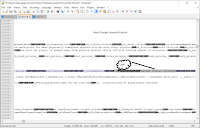
How to use the Microsoft feature as a Crosshair

================================= =====Power Toys===== VERiFiCATiON =====NOT=CHEATER===== ================= ======================================================================= =========== ========================= Install the device. Here ================================= For example x64.exe,on the page shown above 1.Once the device installation is complete, the software will likely open automatically; close the application by clicking the appropriate icon in the bottom-right corner. 2.After extracting it, run the software using the "Run as administrator" option. 3.Turn off all features located to the right of the dashboard menu. Because what we are using only displays a crosshair.After that, press the menu circled in black(Mouse Pointer Crosshairs) 4.then press the Windows+ALT+P icons,to enable and disable the crosshair feature 5.Next, go to the menu. Appearance & Behavior,to adjust the crosshairs When turned off, crosshair lines will extend across the screen.Adj...